 The Complete Wedding Planner
breathe, bride.Answer 8 questions and your whole wedding plan builds itself.
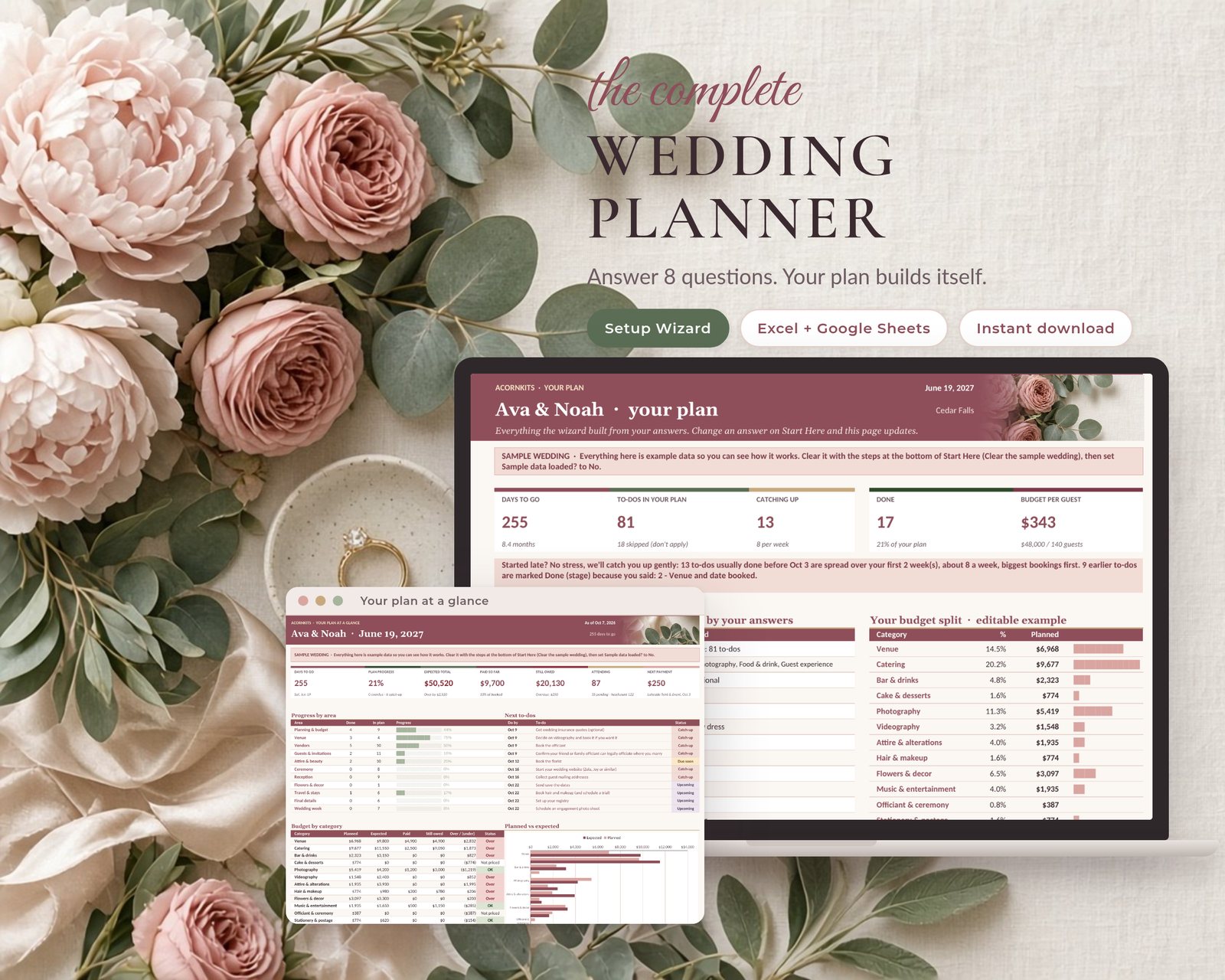
The Complete Wedding Planner is one pretty Excel and Google Sheets workbook. Tell the Setup Wizard your date, budget, guests, format, style, what applies to you and your top 3 priorities. It builds a dated to-do list with only what fits your wedding, splits your budget by what matters most, and keeps just the sections you need. Started late? It catches you up gently, biggest bookings first.
- Excel + Google Sheets
- No macros
- SAMPLE data included
- One-time $29
Sound familiar?
Checklists assume 14 months
Most start at "just engaged". Start at 6 months and half of it is already red.
To-dos that don't apply
Eloping, no hotel block, no honeymoon yet? Generic lists still make you scroll past all of it.
Deposits everywhere
Every vendor has its own deposit, balance and cancellation terms on different dates.
The guest list sprawl
Addresses, RSVPs, meals and tables end up in three places, and your wedding website wants a fourth.
How the Setup Wizard works
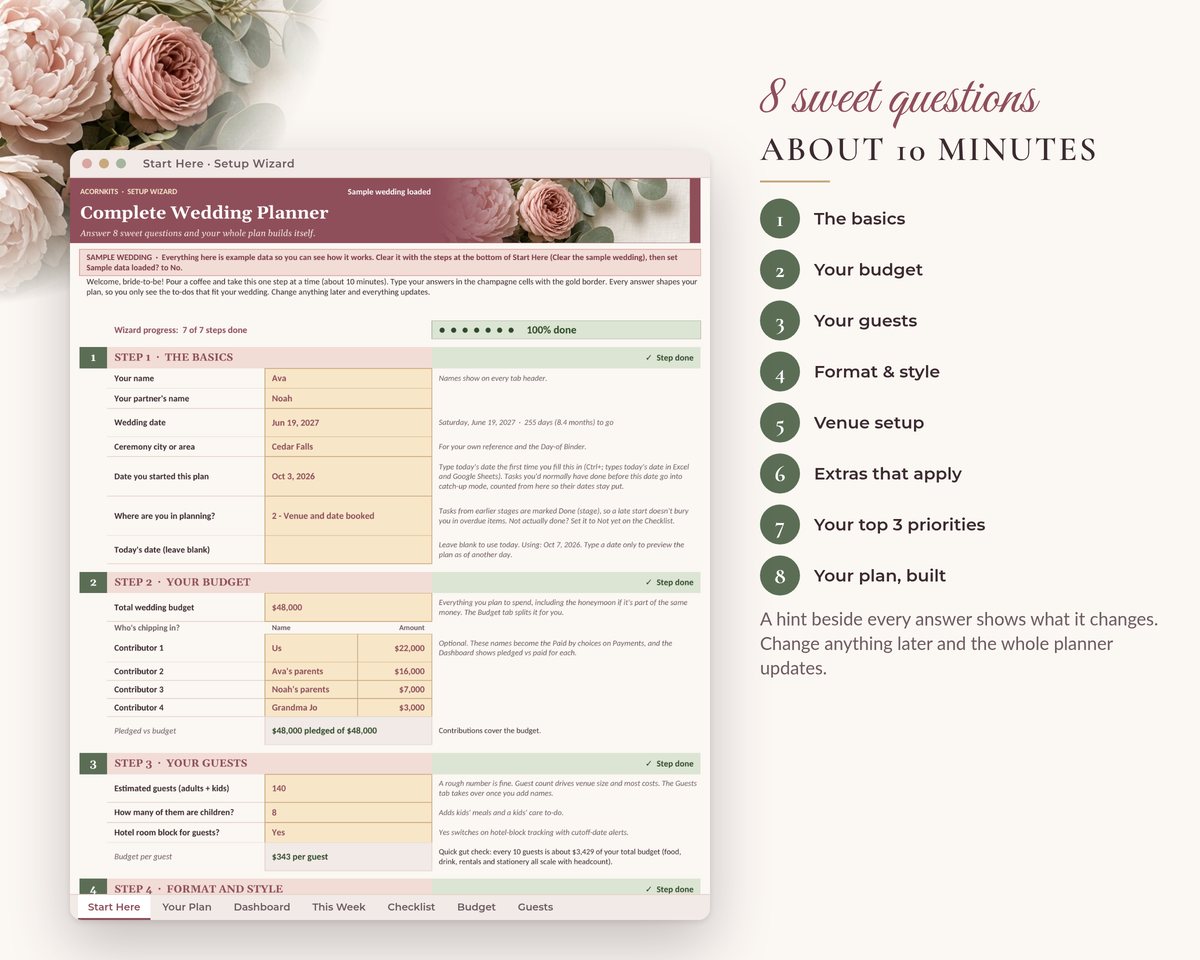
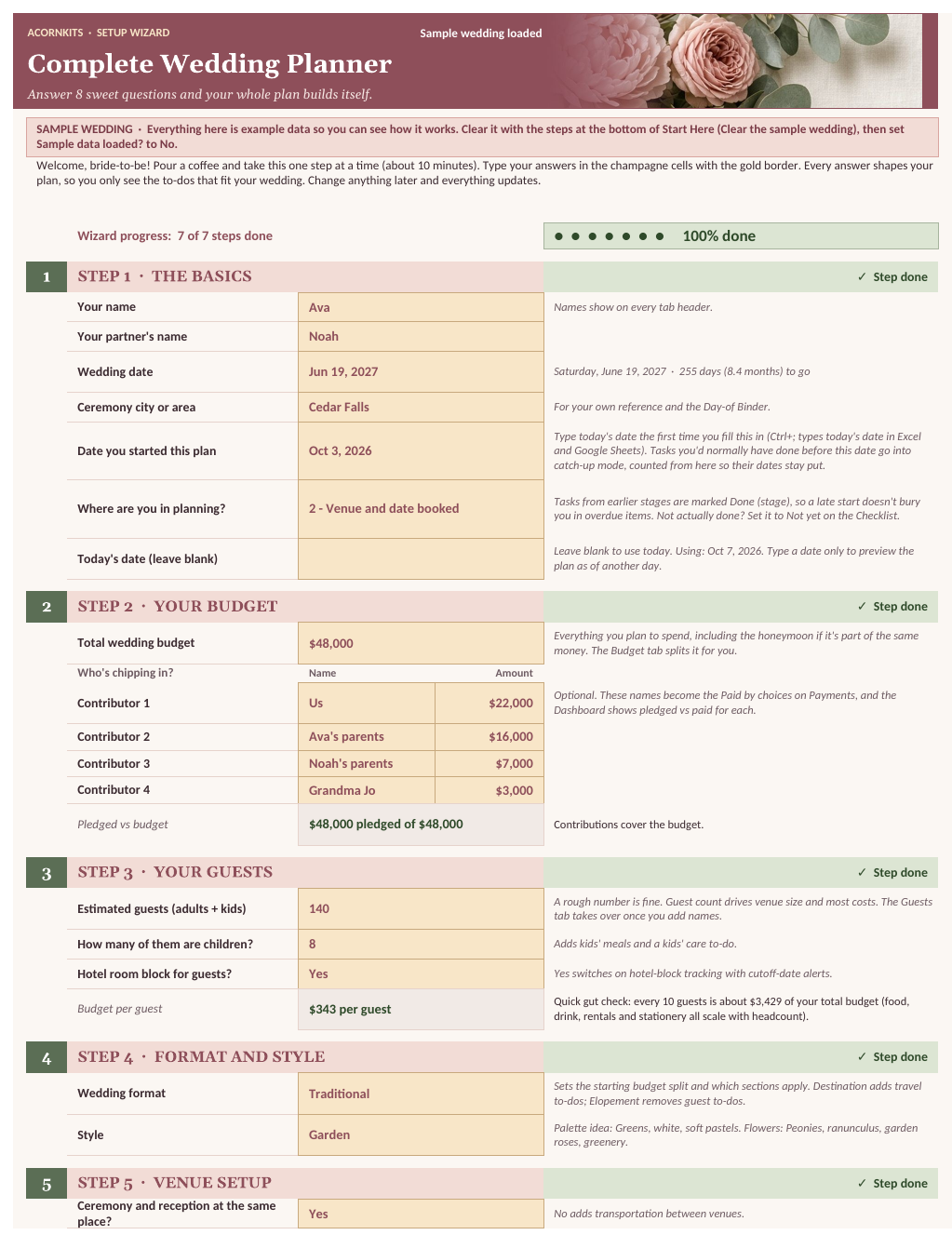
About 10 minutes. Change any answer later and the whole planner updates. Started late? Overdue to-dos are spread at a pace you choose (8 a week to start, raised on its own if time is short), biggest bookings first.
- The basics: names, date, city, when you started and where you are in planning
- Your budget, and who's chipping in
- Your guests: how many, children, hotel block
- Format and style: traditional, small, elopement or destination
- Venue setup: one place or two, indoors or out
- Extras that apply: honeymoon, planner, wedding party, outfit, name change, rehearsal dinner, registry, officiant
- Your top 3 priorities and the catch-up pace
- Your plan: what it built and where to start
A closer look
The wedding photos and florals on this page were created with AI tools from our own prompts; the people aren't real. Every planner screen shows the actual workbook with its sample wedding.
What's inside
One .xlsx workbook with 23 sheets, plus a printable How-to-Use PDF and a README. SAMPLE rows come pre-filled so you can see how everything works before you add your own data.
Start Here
The 8-step Setup Wizard, with a hint next to every answer.
Your Plan
Only what fits your wedding, and why: budget split, to-dos by phase, your next 8 to-dos.
This Week
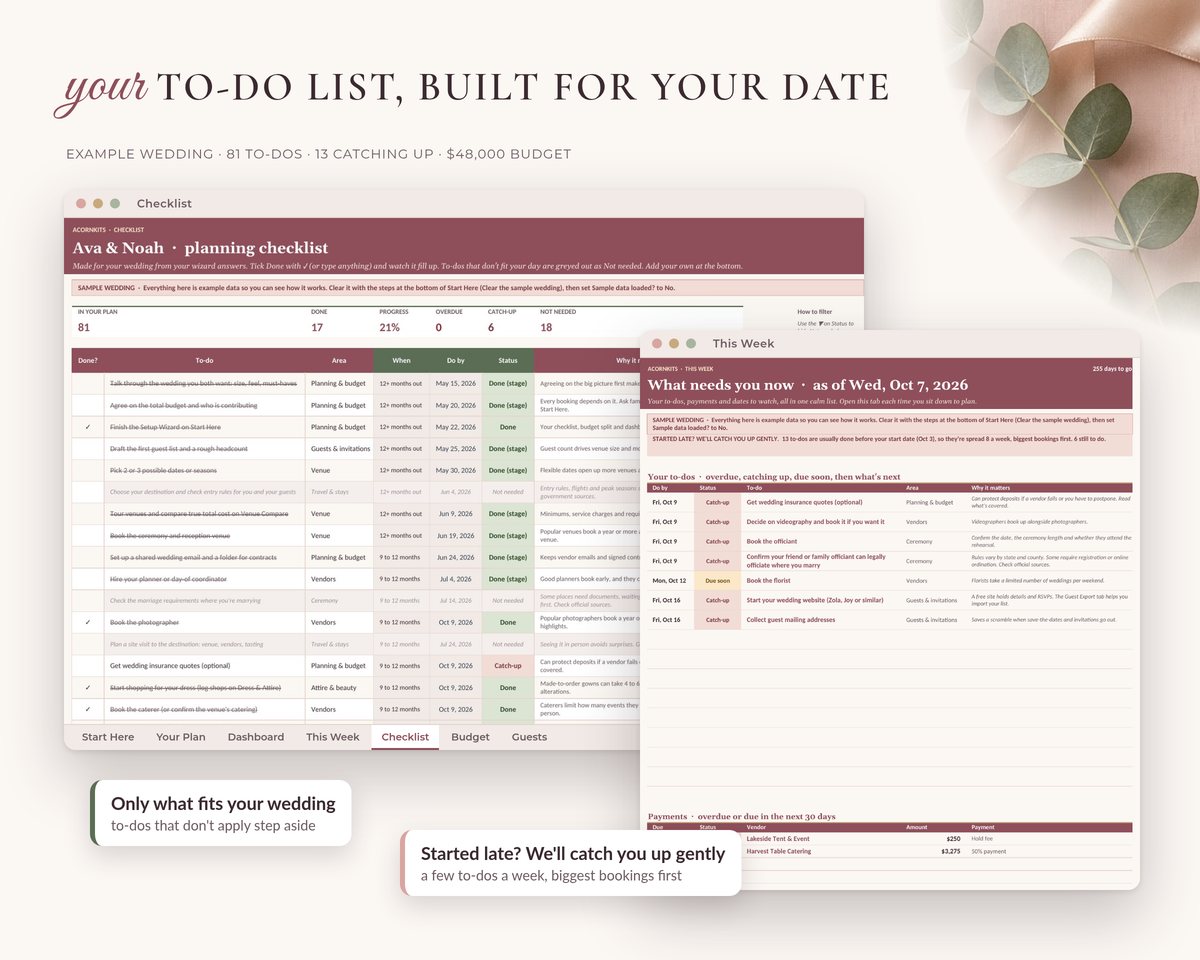
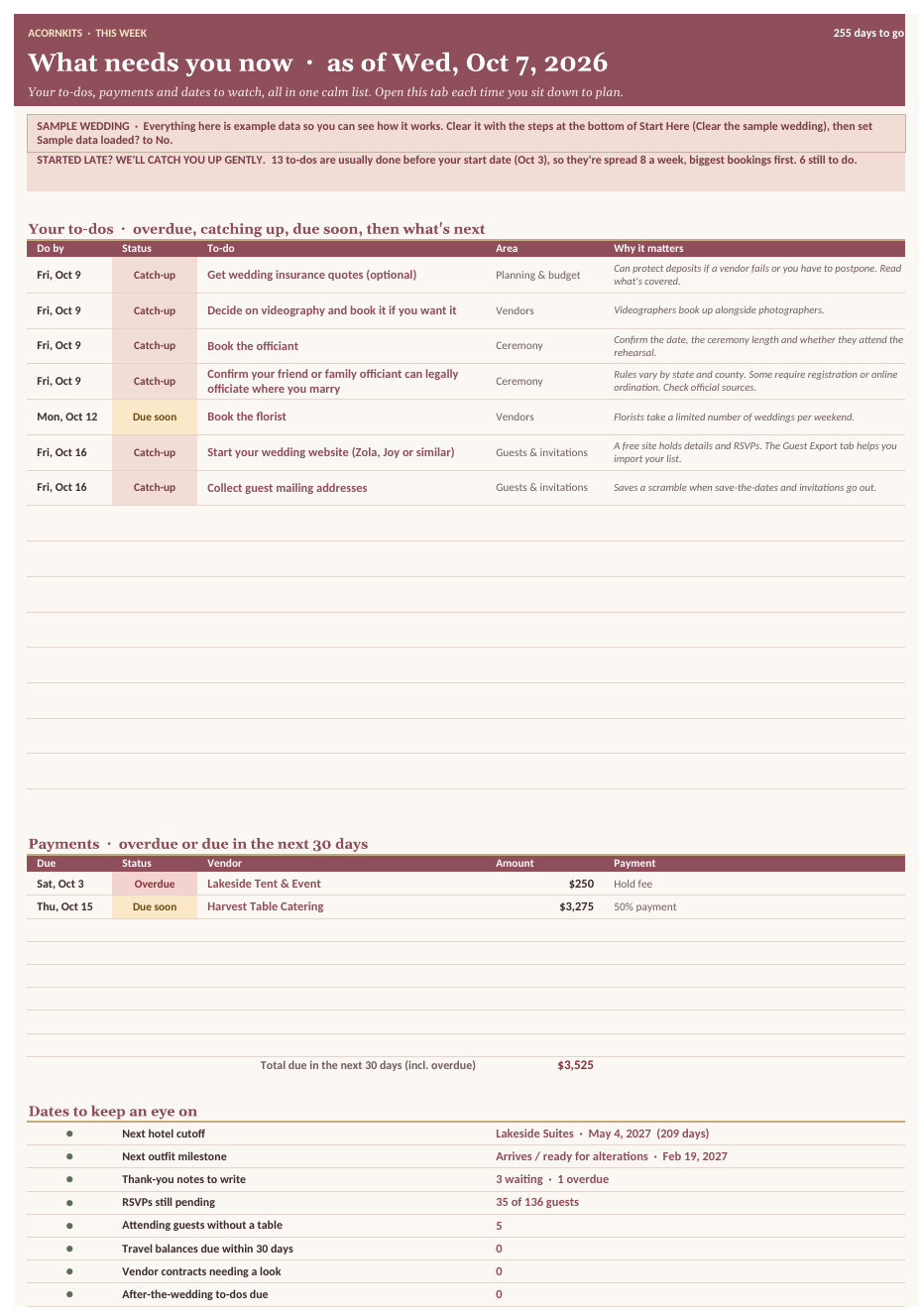
Overdue, catching-up and due-soon to-dos, payments due in 30 days, dates to keep an eye on.
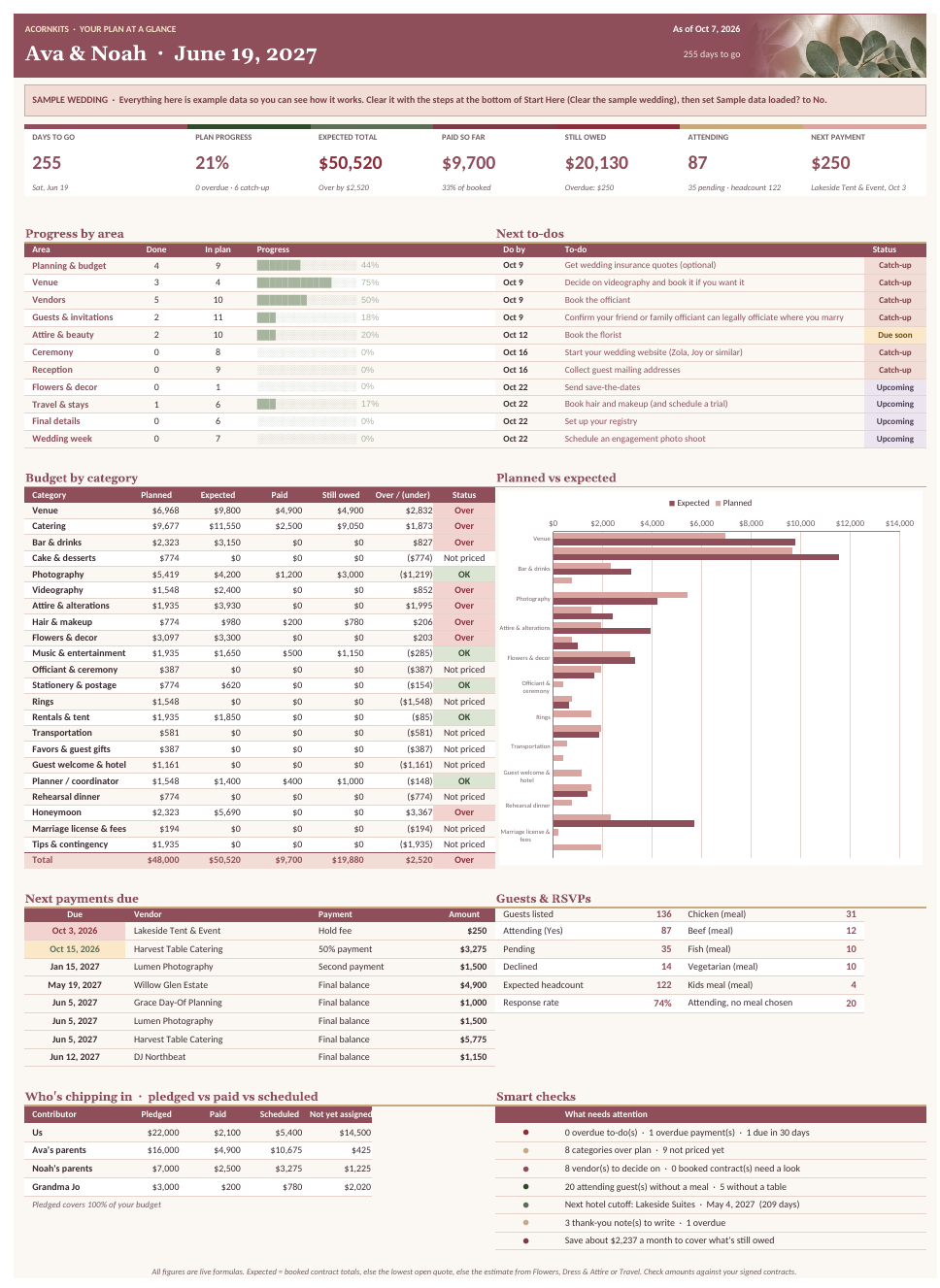
Your plan at a glance
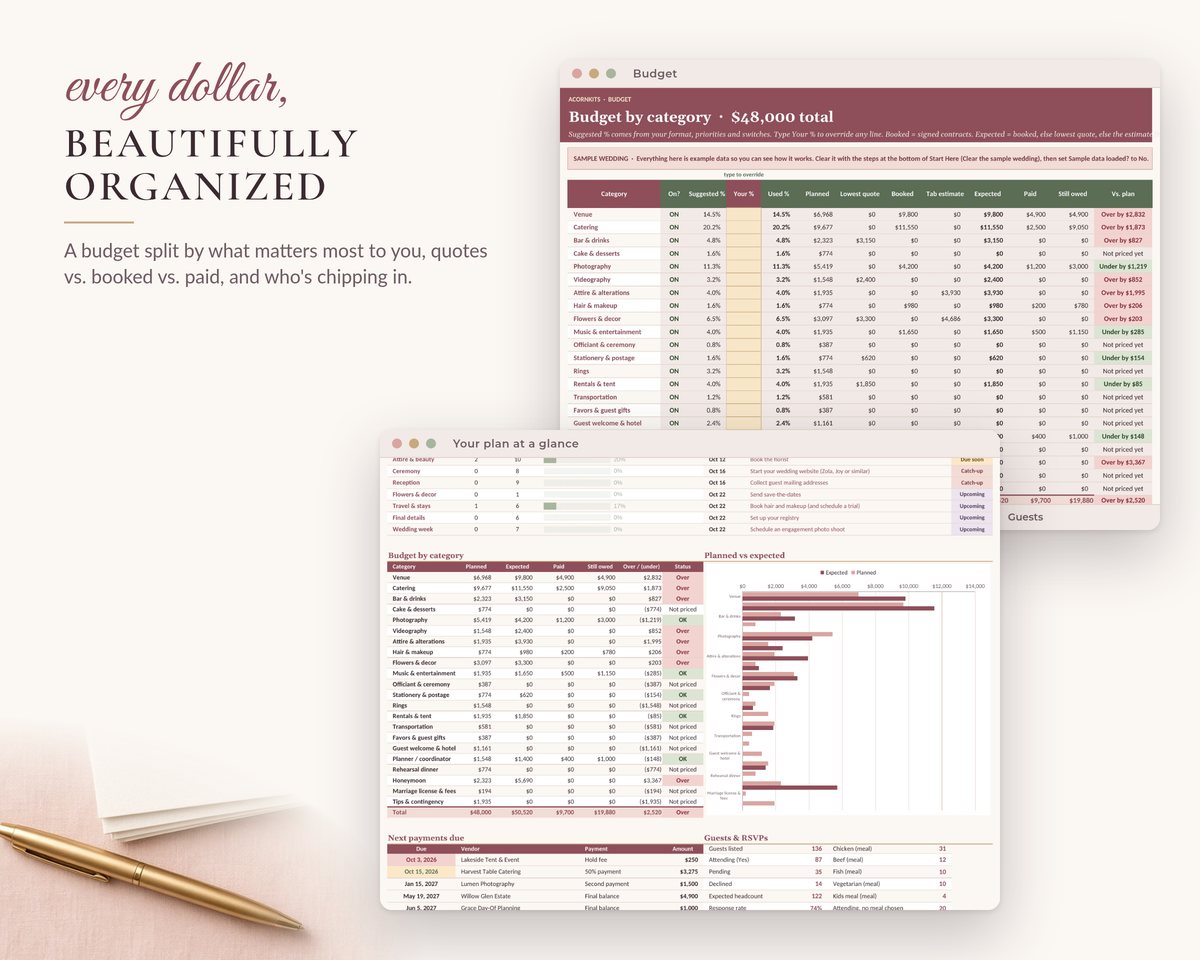
Expected vs budget, paid, owed, who's chipping in, guests, smart checks.
Checklist
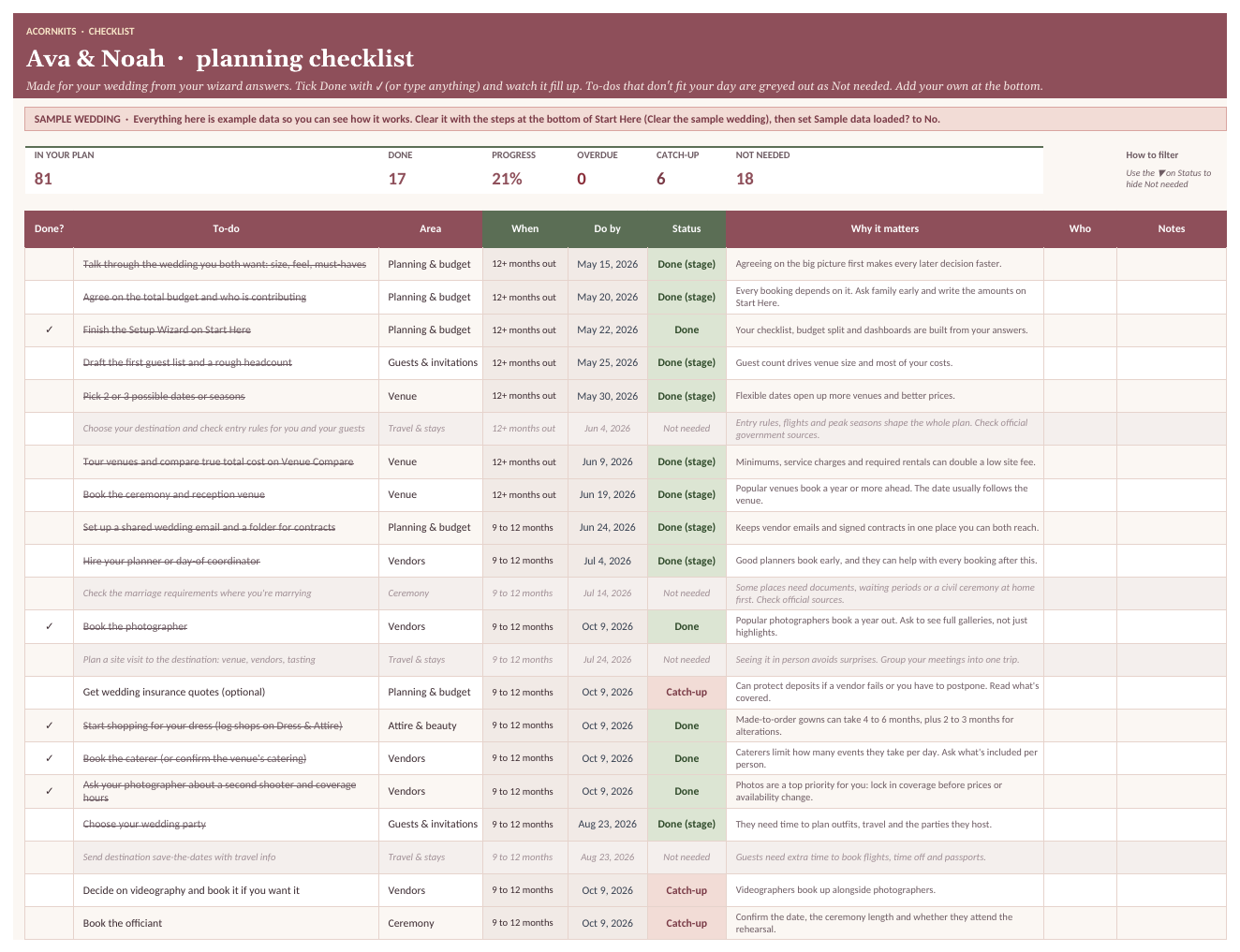
99 to-dos with do-by dates, statuses and why each one matters.
Budget
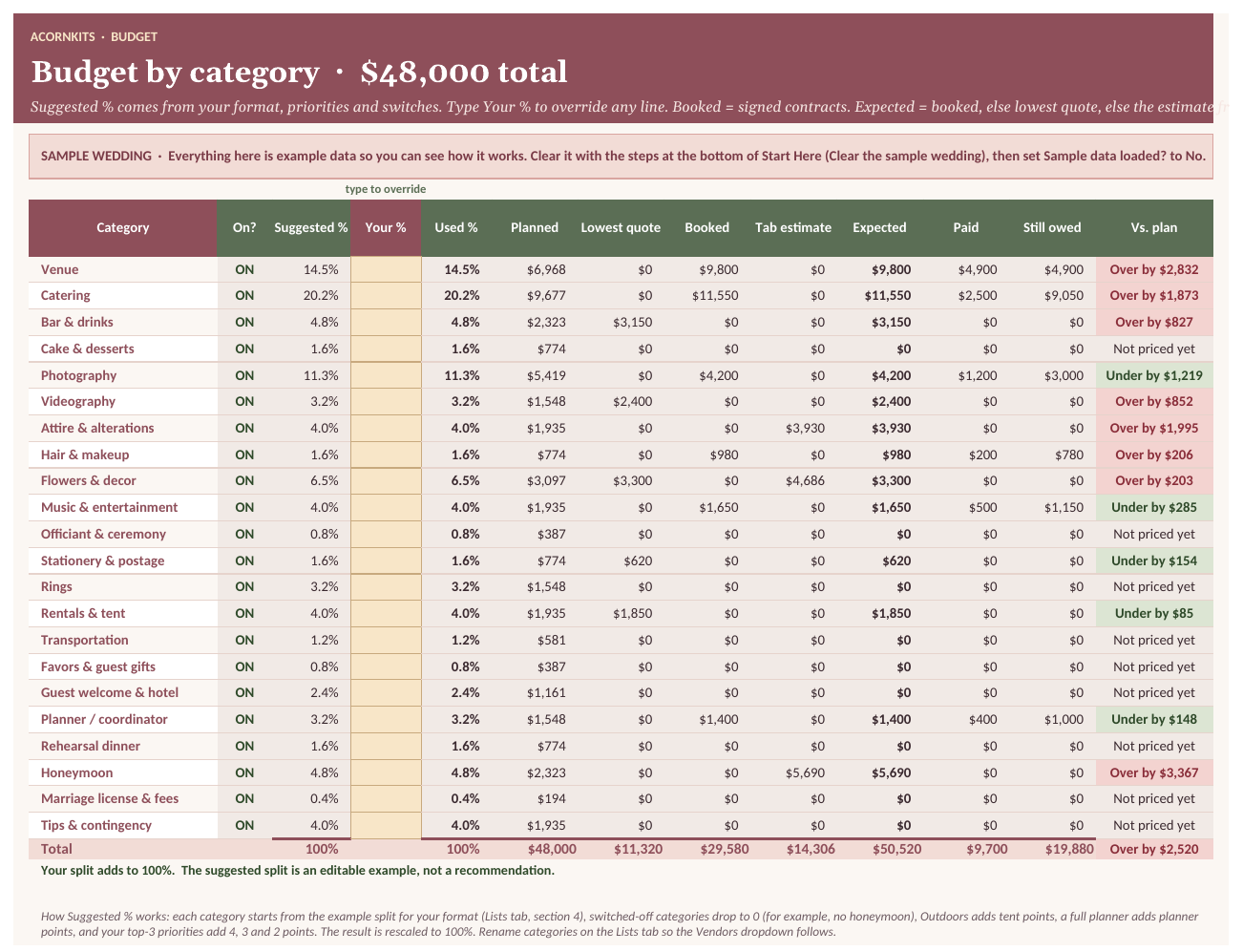
22 categories: suggested and your %, quotes, booked, expected, paid, over/under.
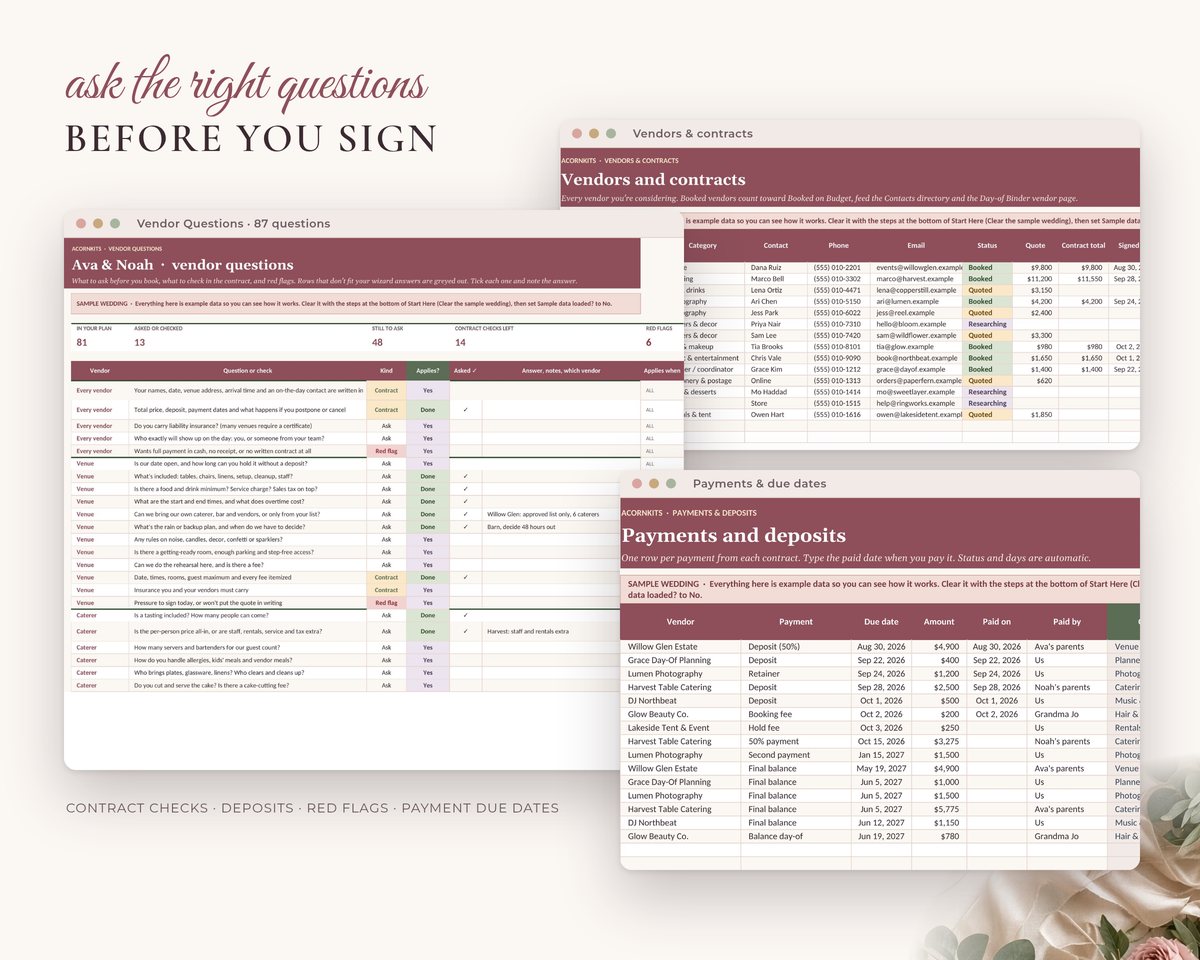
Vendors & Payments
150 vendors, 300 payments, contract checks and due-date alerts.
Venue Compare
5 venues by true total cost for your guest count.
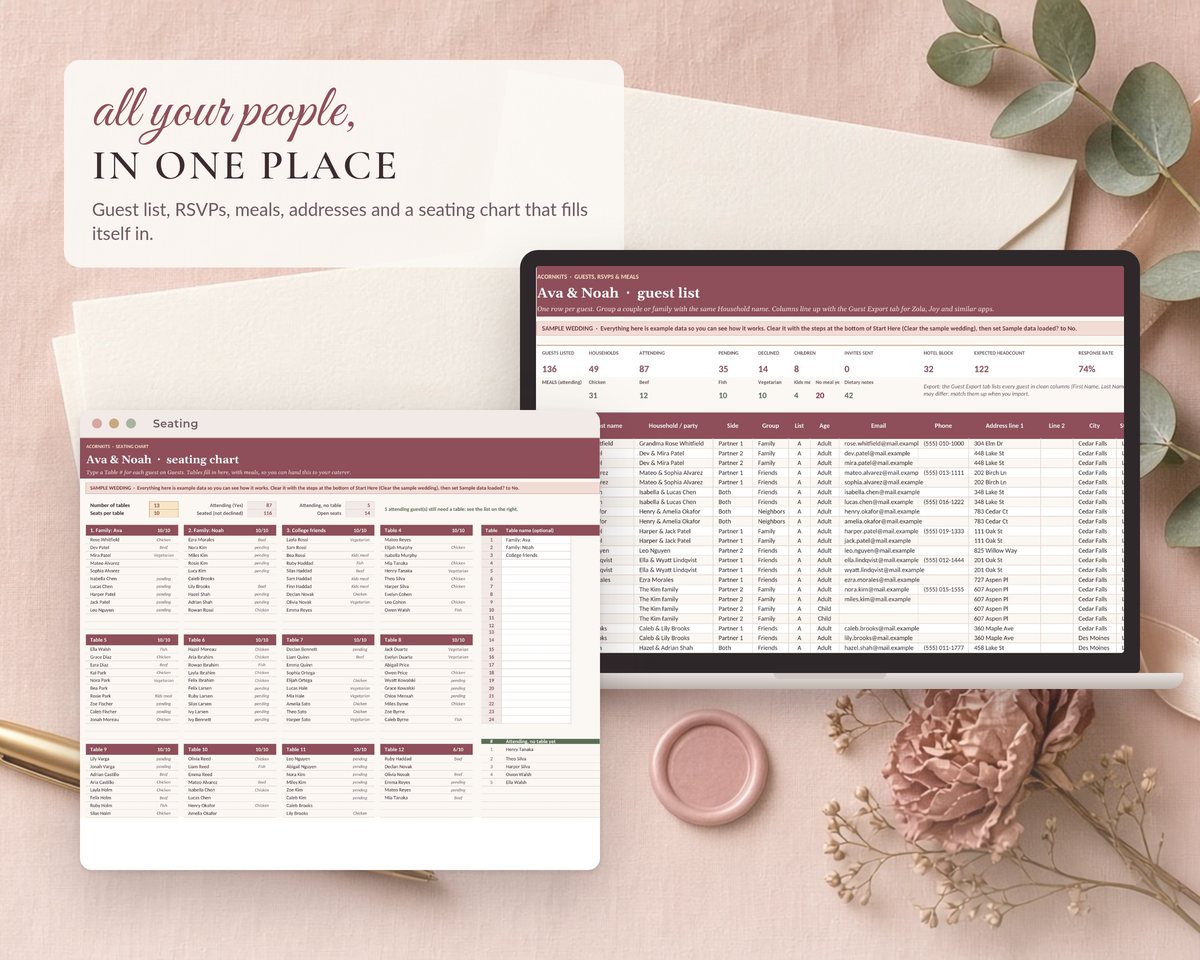
Guests & Guest Export
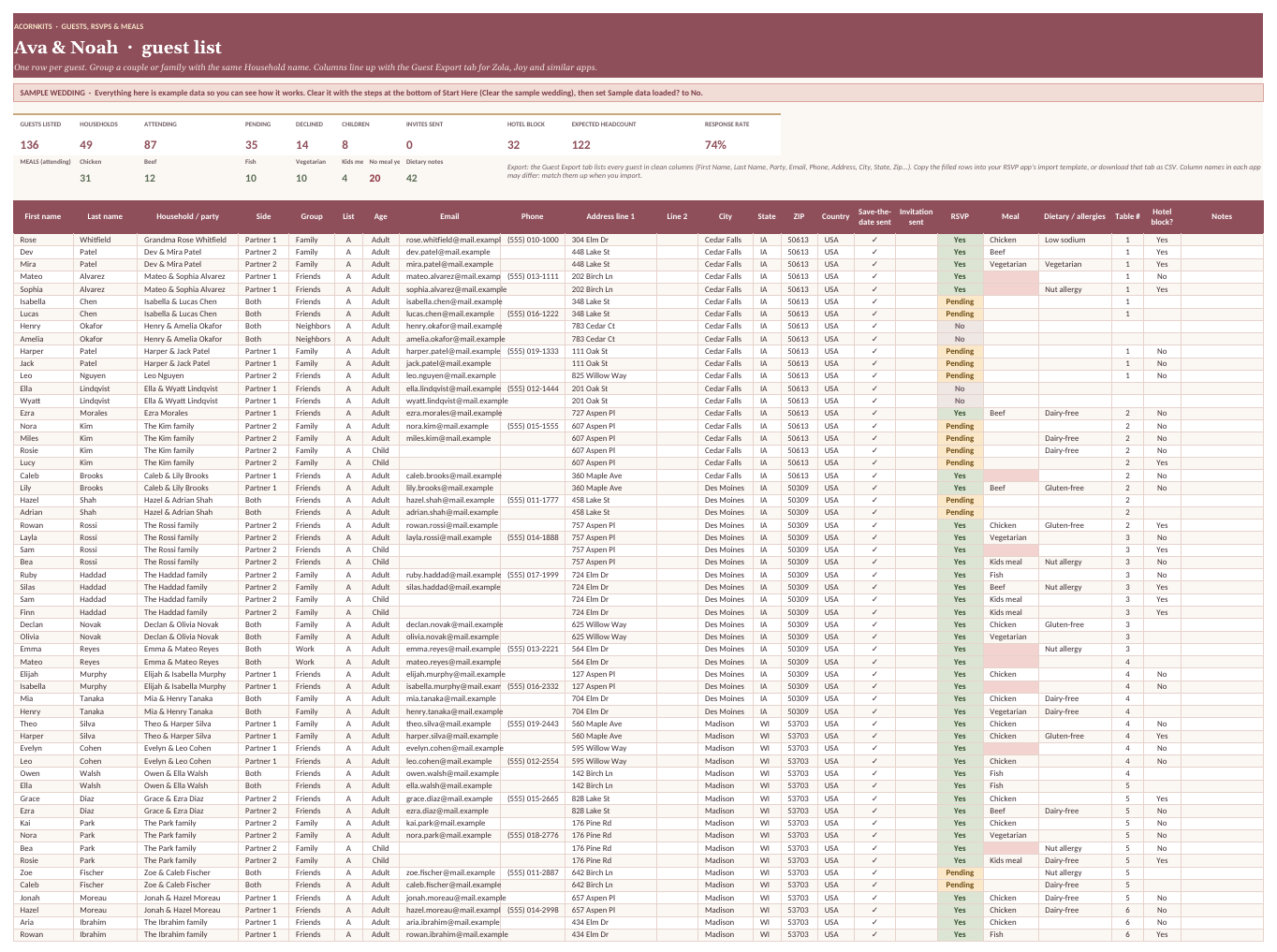
500 guests with addresses, RSVPs, meals and tables; clean export columns.
Seating
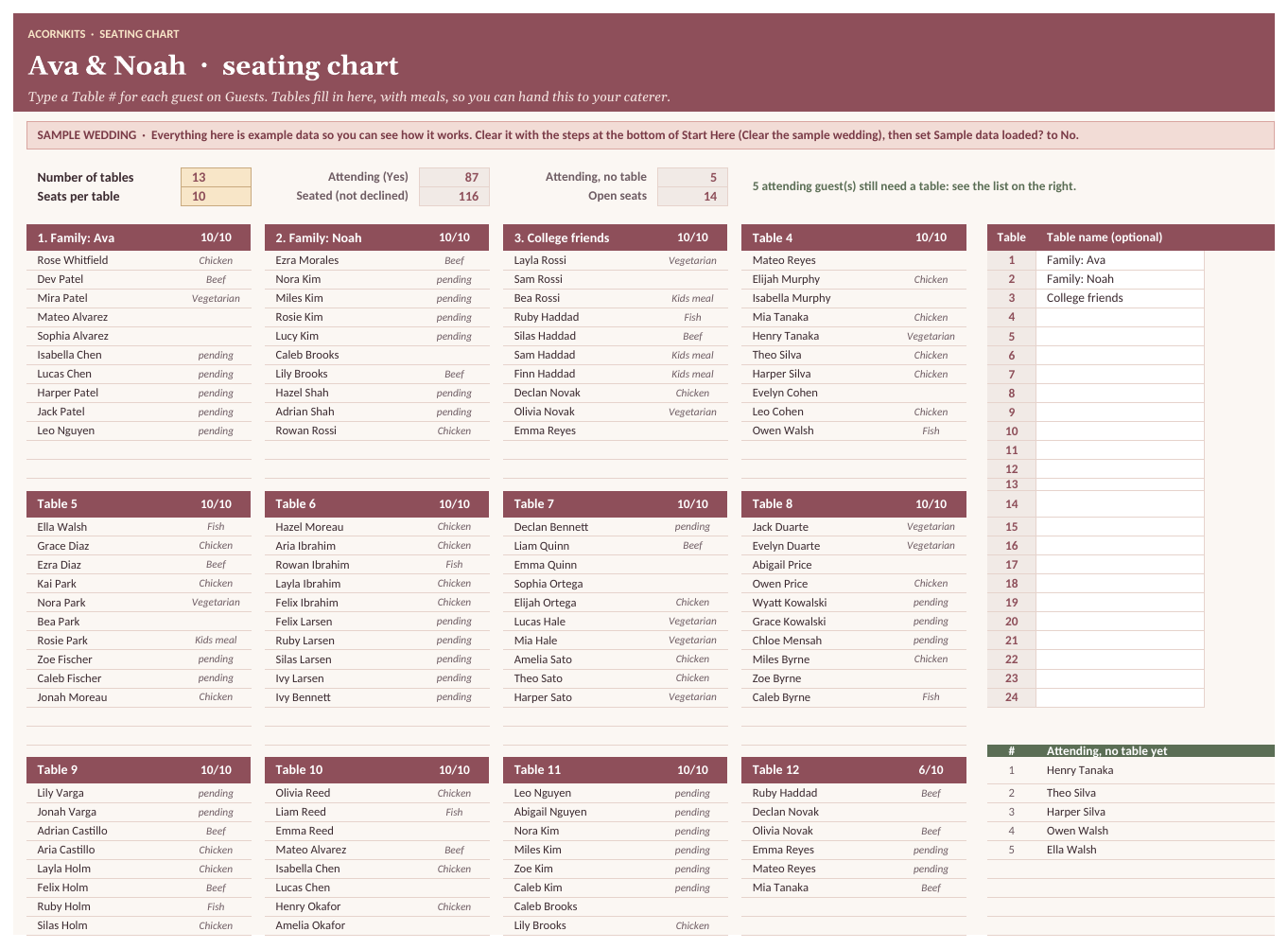
24 tables filled in from your guest list.
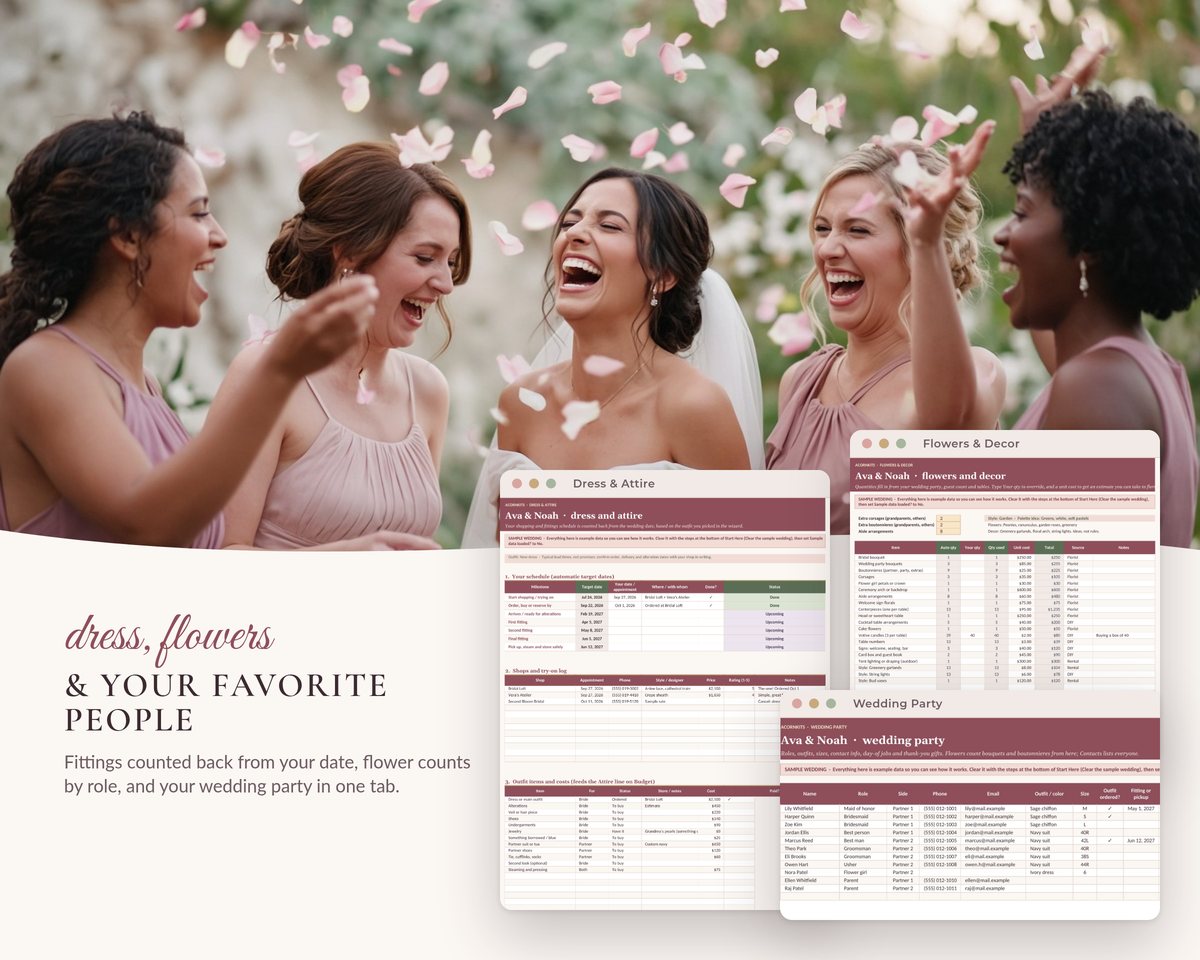
Wedding Party, Dress & Attire, Flowers & Decor
Roles and fittings, outfit schedule, flowers with automatic counts.
Travel & Stays, Gifts & Thank-yous
Hotel-block cutoffs, honeymoon, registry, thank-you due dates.
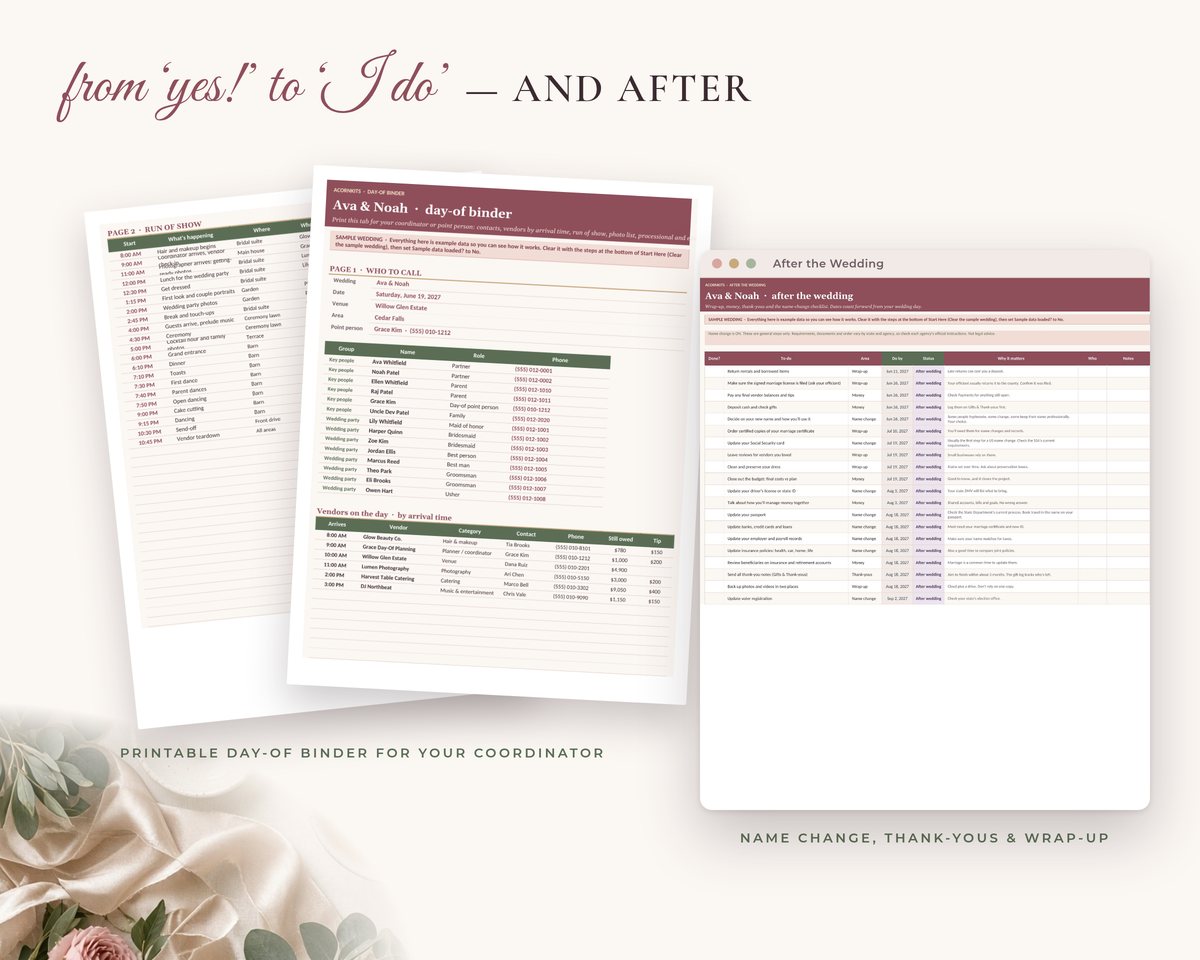
Contacts, Day-of Timeline, Day-of Binder
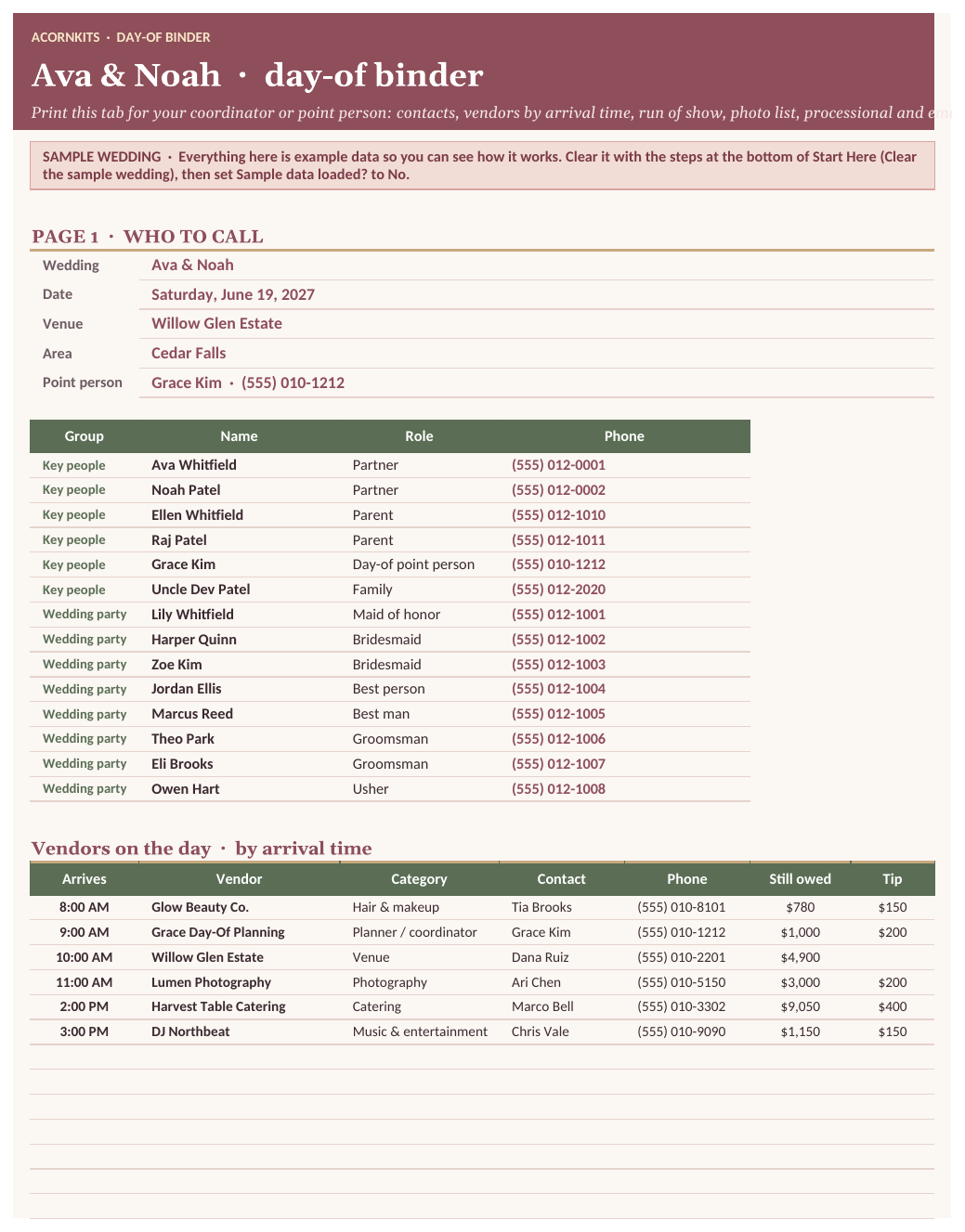
Automatic phone directory, rolling timeline, 4 printable pages.
After the Wedding, Vendor Questions
Wrap-up and name-change checklist; 87 questions, contract checks and red flags.
See the actual workbook
These are renders of the real file with its SAMPLE data, made in LibreOffice. Fonts and colors look slightly different in Excel and Google Sheets. Tap any image to see it full size.
Is it a good fit?
Good fit for
- Couples planning their own wedding, at any stage
- Late starters who need a plan that fits the time left
- Families sharing costs who want to see who's chipping in
- People who'd rather use a spreadsheet than a wedding app
Not a fit for
- Professional planners managing many clients
- Anyone who wants email or text reminders. Alerts show inside the workbook only.
- Anyone who needs to edit mainly on a phone. It's built and tested for computers.
FAQ
Does it send reminders?
No. Open the This Week tab when you sit down to plan; it lists what's overdue, due soon and coming up.
Will my guest list import into Zola or Joy?
The Guest Export tab has clean columns with one header row. Column names differ by site, so you match them when you import. We haven't tested specific sites' importers.
We're already halfway through planning. Is it still useful?
Yes. Tell the wizard your stage and the date you started. To-dos you're past are marked done, and anything else that's late is spread gently over your first weeks.
Is the budget split a recommendation?
No. It's an editable example adjusted by your answers. Type your own % on any line.
I only need the budget and vendor payments.
Then the smaller Wedding Budget & Vendor Kit ($14) may be all you need. This planner includes everything it does, plus the wizard, checklist, guests, seating and day-of binder.
Are the photos real?
The wedding photos and florals were created with AI tools; the people aren't real. The planner screens are the actual workbook with its sample wedding.
Does it work in Excel or Google Sheets?
It works in both. It's a standard .xlsx file built on common formulas, with no VBA. In Excel, just open the file. For Google Sheets, open a blank sheet at sheets.google.com and choose File > Import > Upload, then Replace spreadsheet (a free Google account works). Download on a computer or in a phone browser, not inside an app.
Are there macros?
No. There are no macros, scripts or add-ons, so it opens fine on locked-down work computers and in Google Sheets.
Is there sample data?
Yes. Every sheet comes filled with clearly marked SAMPLE data so you can see how it works. The Start Here tab lists exactly which ranges to clear when you're ready for your own numbers.
How do I get the file?
After you pay, Stripe takes you straight to a download page. The link is also on your Stripe receipt, so you can download the file again later.
What's your refund policy?
If the file won't open or is defective, contact us within 14 days of purchase and we'll refund you. Because it's an instant digital download, we don't offer refunds for change of mind. See the refund policy.
What can I do with it under the license?
It's licensed for personal use by one household. You can edit it for your own use, but you can't resell, share or redistribute the template files. See the terms.
Plan with calm, not chaos
23 sheets, SAMPLE data to learn from, works in Excel and Google Sheets.
The Complete Wedding Planner is a planning tool. Task timing is a general guide. Marriage license, officiant and name-change rules vary by state and agency, so check official sources. Not legal advice. Check amounts and dates against your contracts.